
The Mobile Concierge
Your concierge, in your pocket
Fourteen-plus hours of trip research, condensed into five quiet minutes of clarity — before you leave and while you are away. Complimentary for Kingfisher advisory clients; available to independent travelers by pass.

On your phone
The Concierge lives on your phone. Scan the code with your phone's camera to open it there — then save it to your home screen below.
Hundreds of outdated blogs, fragmented forums, and contradictory advice on tipping, transit, currency, and packing — replaced by the same discreet, destination-specific intelligence we give our private VIP clients.
Getting started
Save it to your home screen
The Concierge is built for the phone in your pocket. There is no app store — no downloads, no updates to manage. You open the link and pin it to your home screen in seconds.
iPhone & iPad · Safari
- 1Open kingfisher-mobile-concierge.lovable.app in Safari on your phone.
- 2Tap the Share icon at the bottom of the screen — the square with an arrow.
- 3Scroll down and tap "Add to Home Screen."
- 4Tap "Add" — the Kingfisher Concierge appears on your home screen like an app.
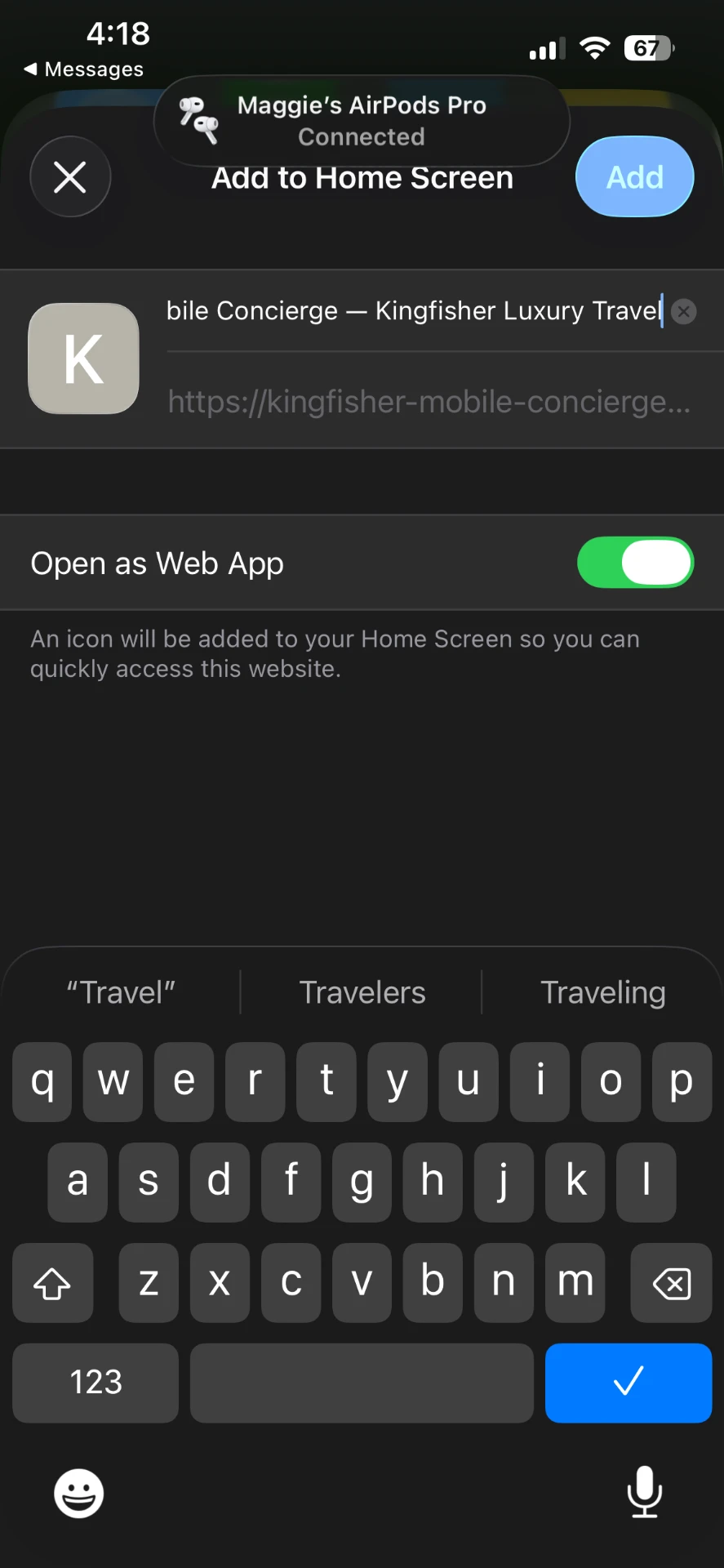
You'll do this on your phone — scan the code at the top of this page to open the Concierge there first.
Android · Chrome
- 1Open kingfisher-mobile-concierge.lovable.app in Chrome on your phone.
- 2Tap the three-dot menu at the top right of the screen.
- 3Tap "Install and create shortcut" — on some phones it reads "Add to Home screen."
- 4Confirm — the Concierge is pinned to your home screen.
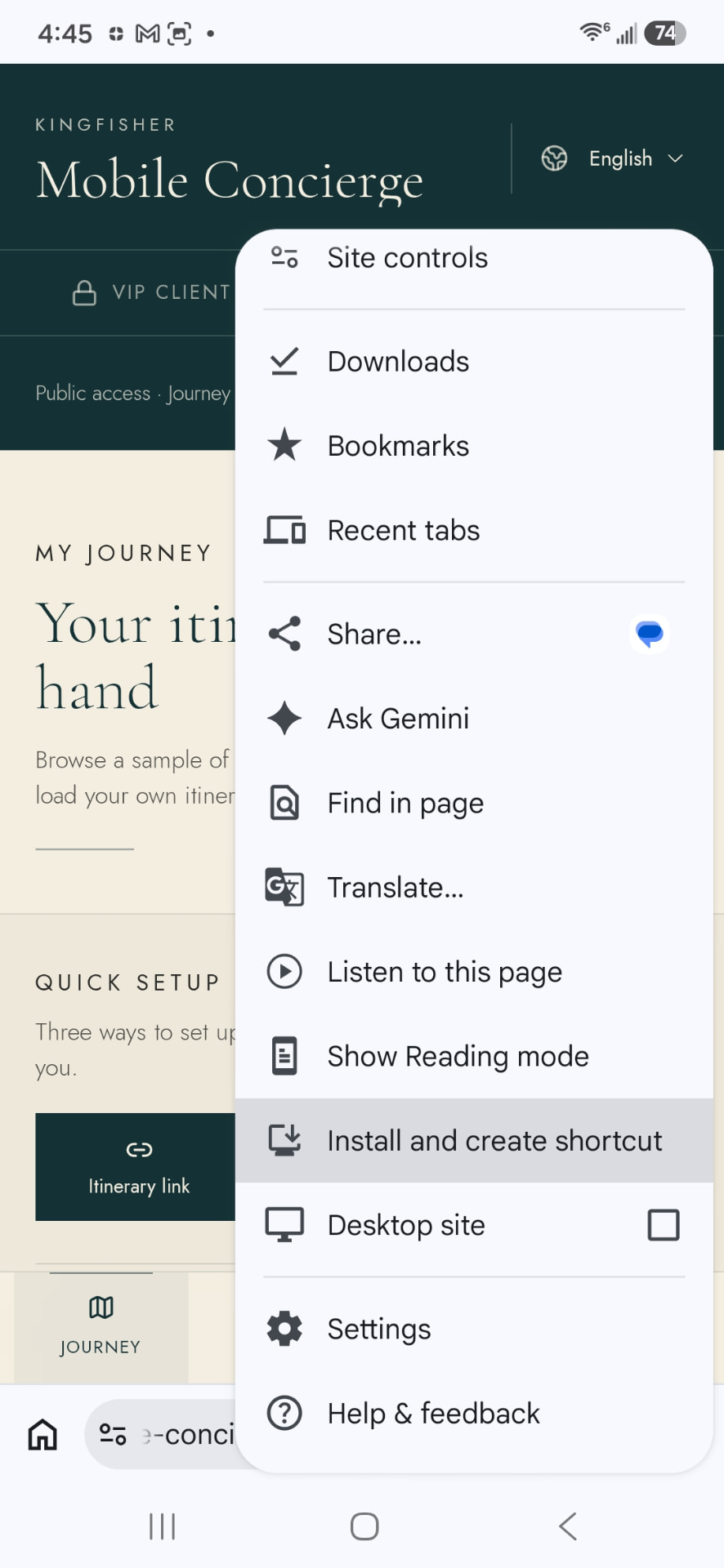
You'll do this on your phone — scan the code at the top of this page to open the Concierge there first.
What's inside
Quiet intelligence, zero noise
Quiet, destination-locked intelligence
No generic filler. Your guidance adapts to where you are going — the winding lanes of York, the cloud forests of Costa Rica — before you ask.
No more tipping and currency guesswork
Know exactly when to tip, when service is already included, and how to pay like a seasoned traveler — with an on-demand local calculator.
Intelligent packing that anticipates your days
Beyond standard checklists, the packing companion detects what you are actually doing — swimwear for thermal baths, ankle-support footwear for rainforest walks, modest layers for historic cathedrals.
Curated luxury partner recognition
Spot opportunities where elite hotel brands — Four Seasons, Rosewood, Belmond, Auberge and more — offer exceptional experiences and advisor-level privileges on future bookings.
Look inside
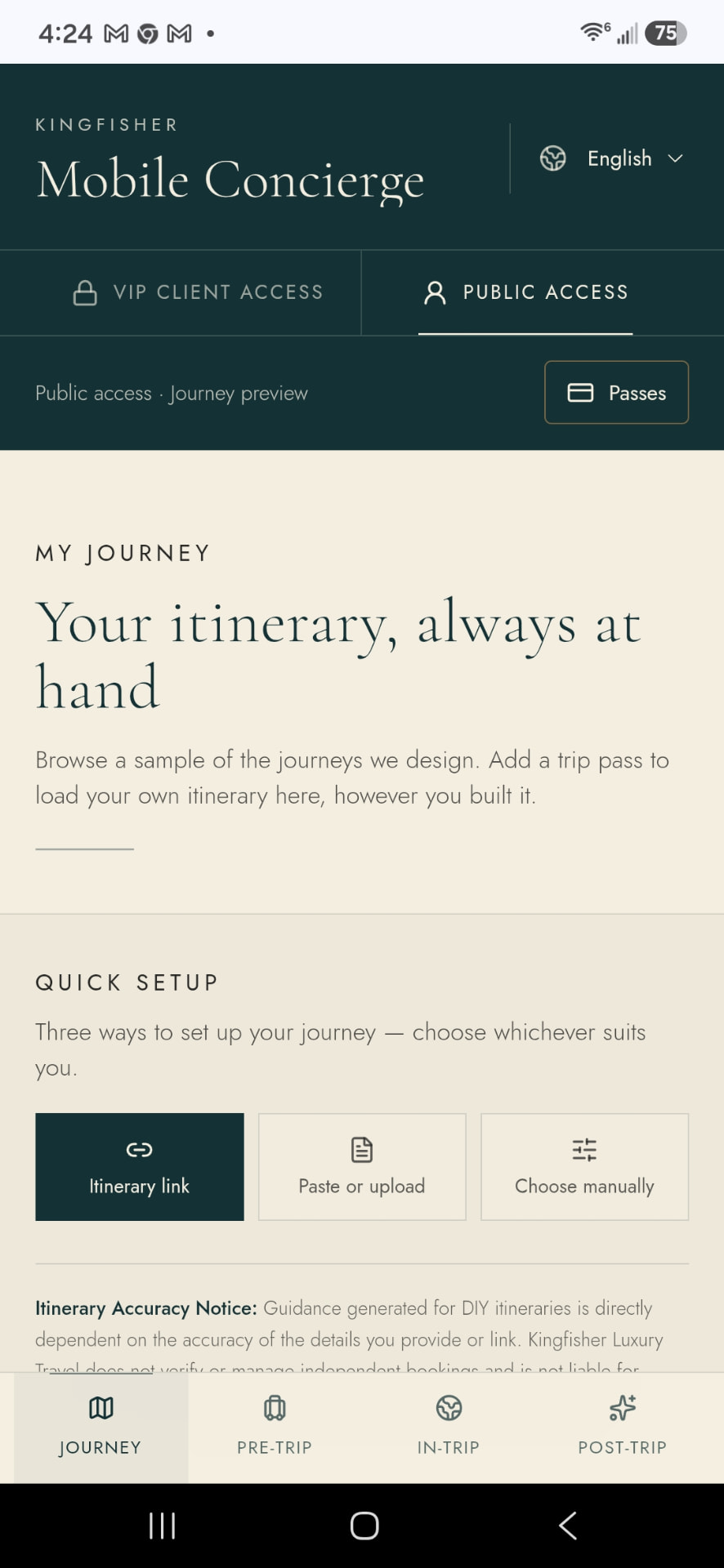
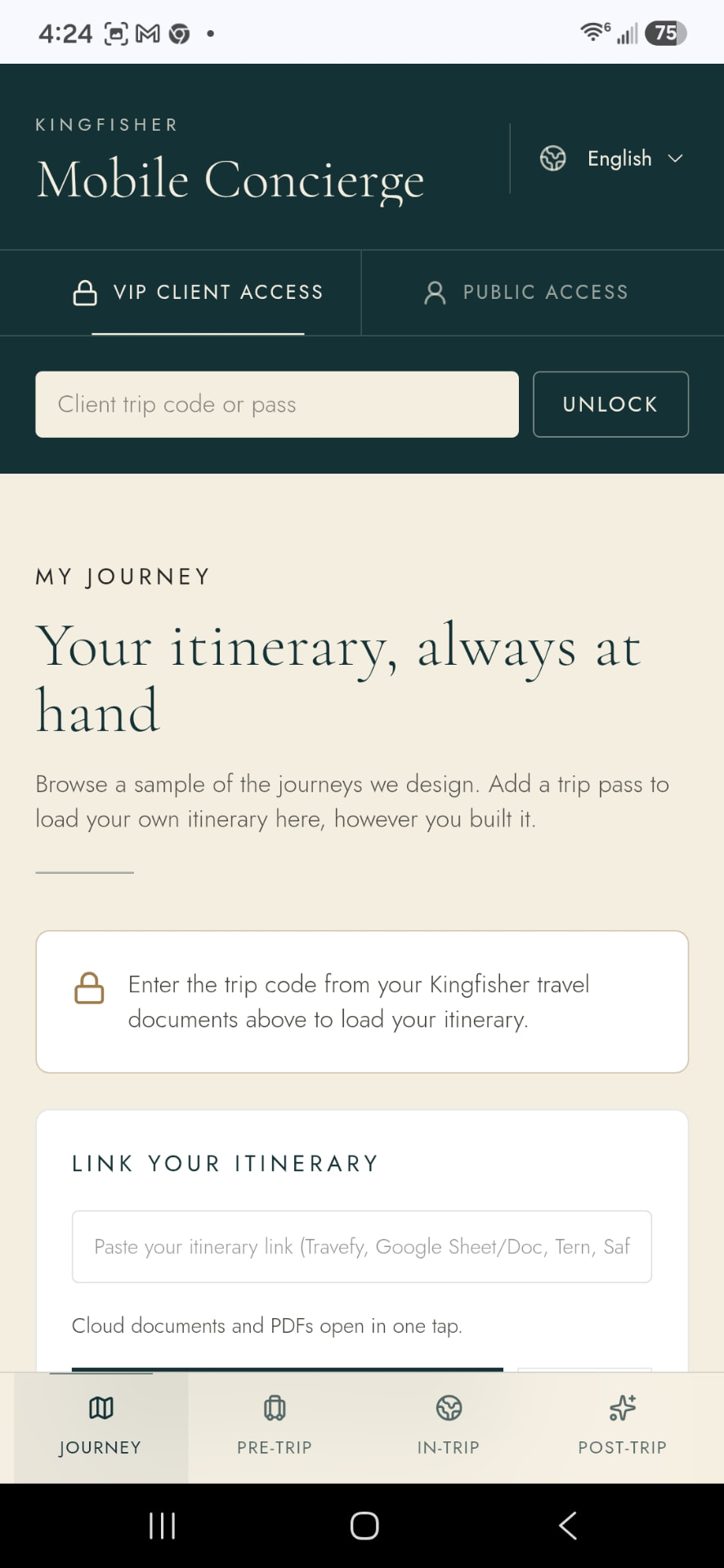
The Concierge, as travelers see it
A quiet journey preview in public access — and the full playbook behind your personal trip code.
Access passes
For independent travelers
Traveling on your own? A pass unlocks the agency's private playbook for your journey. Purchases are completed inside the Concierge through verified PayPal checkout — no account to create with us first.
Single-Trip Pass
$14.99
one-time
A single bespoke vacation, international holiday, or milestone journey.
- Full access bound to your destination and travel dates
- Complete Pre-Trip Readiness — connectivity, adapters, airline baggage
- In-Destination Intelligence — local tipping customs, a built-in tip calculator, transit and currency strategy
- Activity-triggered Packing Companion with print and digital checklists
- Destination-matched selections from The Shortlist
- Post-trip reflection and consultation pathway
Scan the code at the top of this page to open the Concierge, then complete your purchase inside the app.
Annual Access Pass
$49.99
per year
Frequent travelers, business travelers, and multi-trip planners.
- Everything in Single-Trip, unlocked across unlimited destinations all year
- Full browsing of The Shortlist — our private registry of vetted gems, local secrets, and partner highlights
- Seamless switching between upcoming journeys
- Priority invitation to book future trips with Kingfisher advisor amenities
Scan the code at the top of this page to open the Concierge, then complete your purchase inside the app.
Booked with Kingfisher under our private advisory services? Your full access is complimentary — we send your personal trip code with your travel documents, and the Concierge unlocks in full the moment you enter it.
Questions
Before you install
What is the Mobile Concierge?
A private playbook on your phone — the same destination-specific intelligence and curated recommendations our advisory clients receive, condensed into quiet, five-minute reads before and during your trip.
Do I need to download it from an app store?
No. It is a web app: you open it in Safari (iPhone) or Chrome (Android) and save it to your home screen. Two or three taps, no app store, no storage warnings.
I booked my trip with Kingfisher — do I pay?
No. Advisory clients booked under our private services receive full complimentary access with their personal trip code, provided with your travel documents.
Which phones does it work on?
It is designed for the phone in your pocket — iPhone and Android alike. It is not meant for desktop use, which is why every guide on this page walks you through saving it to your home screen.
Planning a journey worth having a concierge for? See how we work.